1
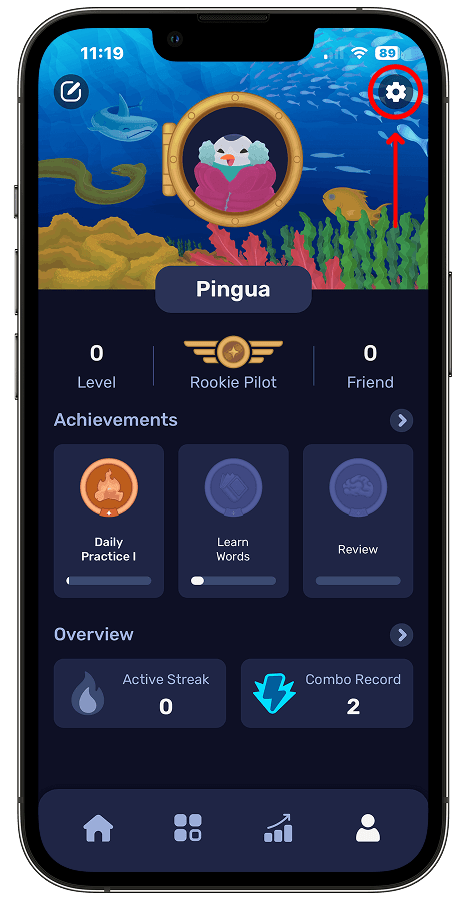
Go to the Profile screen and tap the settings icon
Tap the Profile icon on the far right of the bottom navigation bar, then tap the settings icon in the top-right corner of the screen that opens.
 Pingua
Follow the steps below to delete your Pingua account and the data associated with your account. Account deletion cannot be undone.
If the Pingua app is installed on your device, you can delete your account directly from within the app.
Tap the Profile icon on the far right of the bottom navigation bar, then tap the settings icon in the top-right corner of the screen that opens.
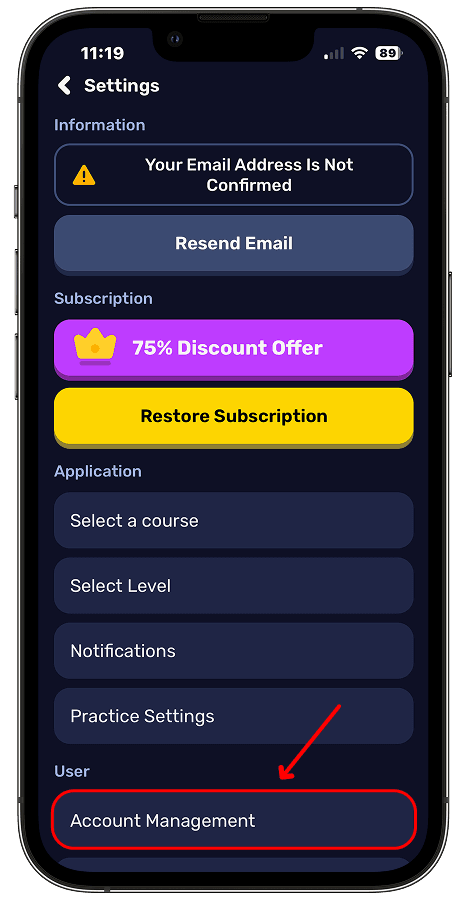
On the Settings screen, tap Account Management under the User section.
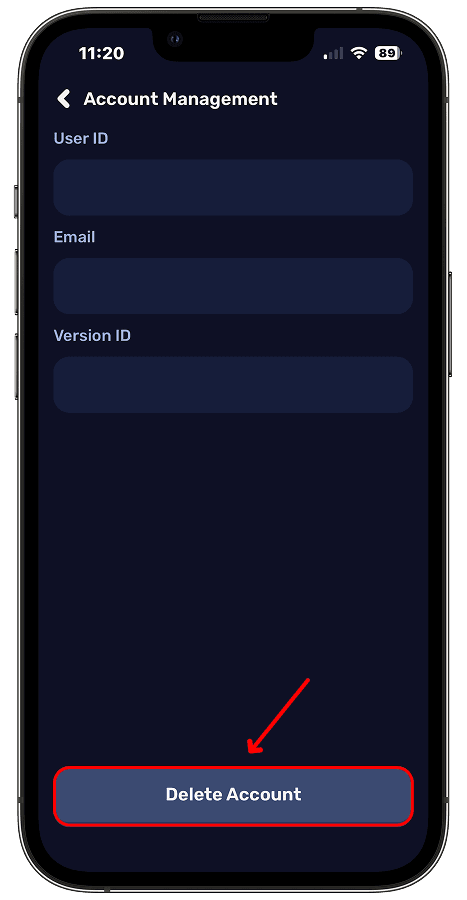
Tap the Delete Account button at the bottom of the screen.
The confirmation screen may differ depending on how you signed in to your account.
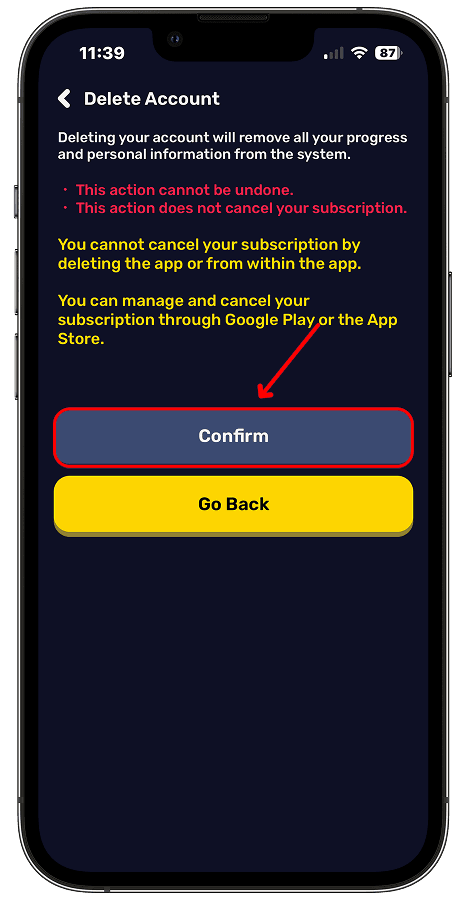
Enter your password and tap the Confirm button to complete the account deletion process.
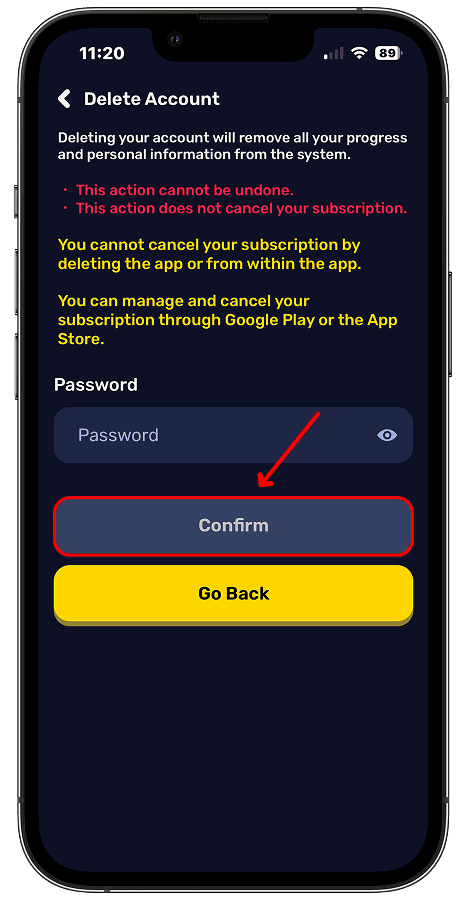
If you signed in with your Google or Apple account, tap the Confirm button to complete the account deletion process.
If the Pingua app is not installed on your device or you cannot access your account through the app, you can send us an email to request account deletion.
To help us locate your account, we recommend sending the email from the email address associated with your Pingua account. For your security, we may need to verify that the account belongs to you.
Email: contact@setfree.io
When your account is deleted, the following data associated with your account will be deleted:
Limited records that must be retained for security, abuse prevention, or legal obligations may be stored only for as long as necessary. These records will not be used for purposes other than those stated.
Records relating to subscriptions and payments made through the Apple App Store or Google Play may also be retained separately in accordance with the respective store's policies.
Account deletion confirmed through the app is initiated immediately. Account deletion requests submitted by email will be completed within 30 days after any required verification has been completed.
You can contact us with any questions about the account deletion process.